
AI-powered passport photo maker
White Background for Passport Photo — Professional Results in Seconds
Need a white background for passport photo, visa application, or official ID card? Our AI instantly removes any background and replaces it with a clean, pure white that meets government photo standards. Get an official-ready passport photo in one click — no studio visit required.
FastQuality
Drop your image to get started
or
Create a Perfect White Background for Passport Photo at Home
Skip the photo studio and create passport photos with a professional white background at home. WhiteBG uses AI to deliver a clean, uniform white background for passport photo that meets official standards for passports, visas, driver's licenses, and ID cards worldwide.
Official-Ready White Background
Our AI produces a pure, uniform white background for passport photo that meets standards set by the US Department of State, UK HMPO, and Schengen visa offices. Crisp edges, accurate colors, zero shadows.
Fast & Cost-Effective
Upload a selfie or portrait, get a professional passport photo with perfect white background in seconds. No appointments, no studio fees — create your white background passport photo from any device.
Works for All Documents
Our white background for passport photo tool supports passports, visas, driver's licenses, employee IDs, student cards, and more. Compatible with requirements from over 100 countries.
How It Works
How to Create a White Background for Passport Photo in 3 Steps
Get an official-ready white background for passport photo in under a minute.
1
Upload Your Photo
Take a selfie or select a portrait from your device. For the best white background result, use even lighting, a neutral expression, and face the camera directly with both eyes visible.
2
AI Creates the White Background
Our AI detects your face and body outline with pixel-level precision, removes the original background, and replaces it with a pure, uniform white background for passport photo. Hair edges and skin tones are preserved naturally.
3
Download & Print
Download your passport photo with a perfect white background. Print at home on photo paper or take it to a print shop. The result meets requirements of passport offices, embassies, and consulates worldwide.
Requirements
Photo Requirements for a White Background Passport Photo
Ensure your white background for passport photo is accepted by following these essential requirements.
Face Position & Expression
Look directly at the camera with a neutral expression and mouth closed. Both eyes open and clearly visible. Face centered, occupying 70-80% of the photo height. Tilting your head may cause rejection.
Pure White Background
The background must be plain white with no shadows, patterns, or objects. A white background for passport photo should be completely uniform. Our AI ensures a perfectly clean result that meets government specifications.
Even Lighting
Use balanced lighting with no harsh shadows on your face. Avoid backlighting or strong overhead light. Natural daylight from a window works best for white background passport photos.
High Resolution & Recent Photo
Use a high-resolution photo taken within the last 6 months. Minimum 600x600 pixels recommended. Blurry, pixelated, or heavily filtered photos may be rejected by passport authorities.
Use Cases
White Background for Passport Photo — All Official Documents
Our tool meets the photo requirements of government agencies, embassies, and organizations worldwide.
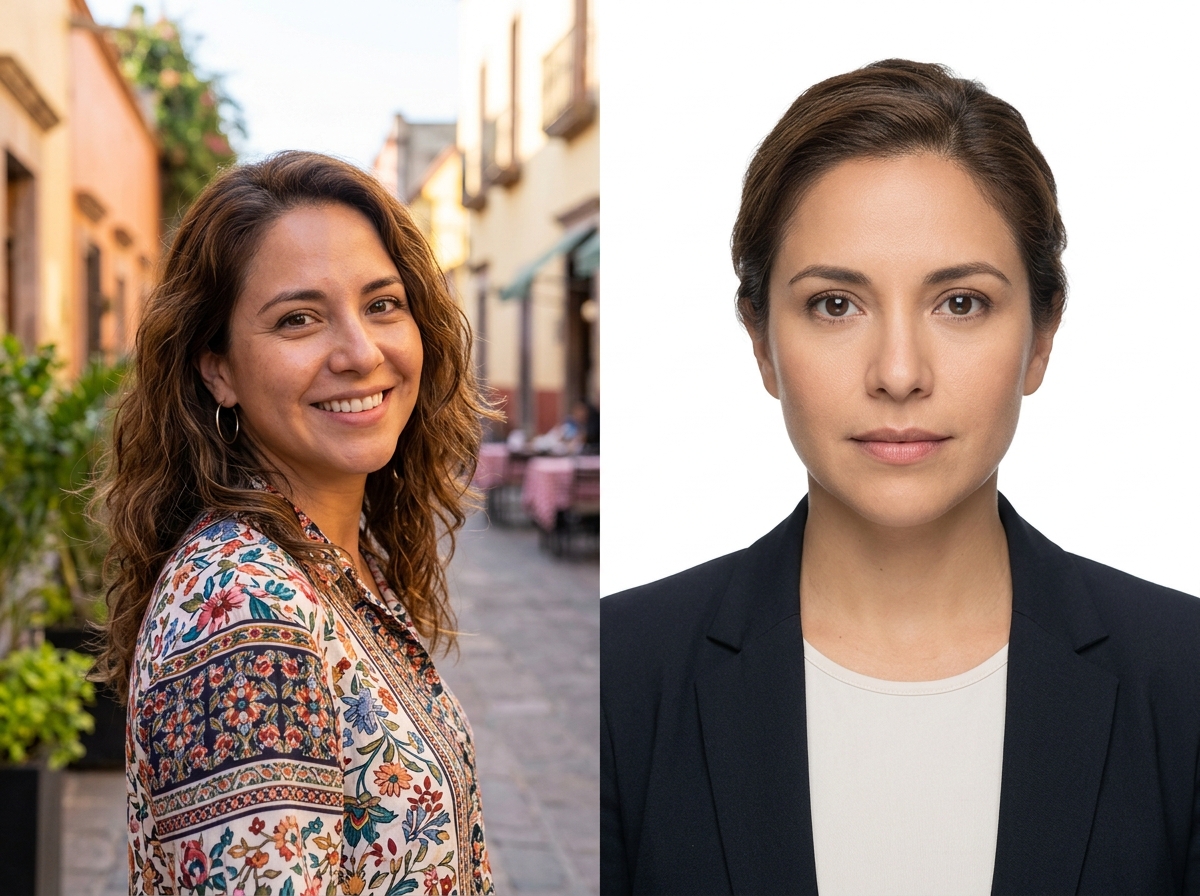
Passport & Visa Photos
Create passport-sized photos with a flawless white background that meet dimensional and quality requirements for your country. Whether applying for a new passport, renewing, or submitting a visa application, our white background for passport photo tool ensures compliance with official standards.
US Passport photos (2x2 inches)
UK Passport photos (35x45mm)
Schengen Visa photos (35x45mm)
Chinese Visa photos (33x48mm)
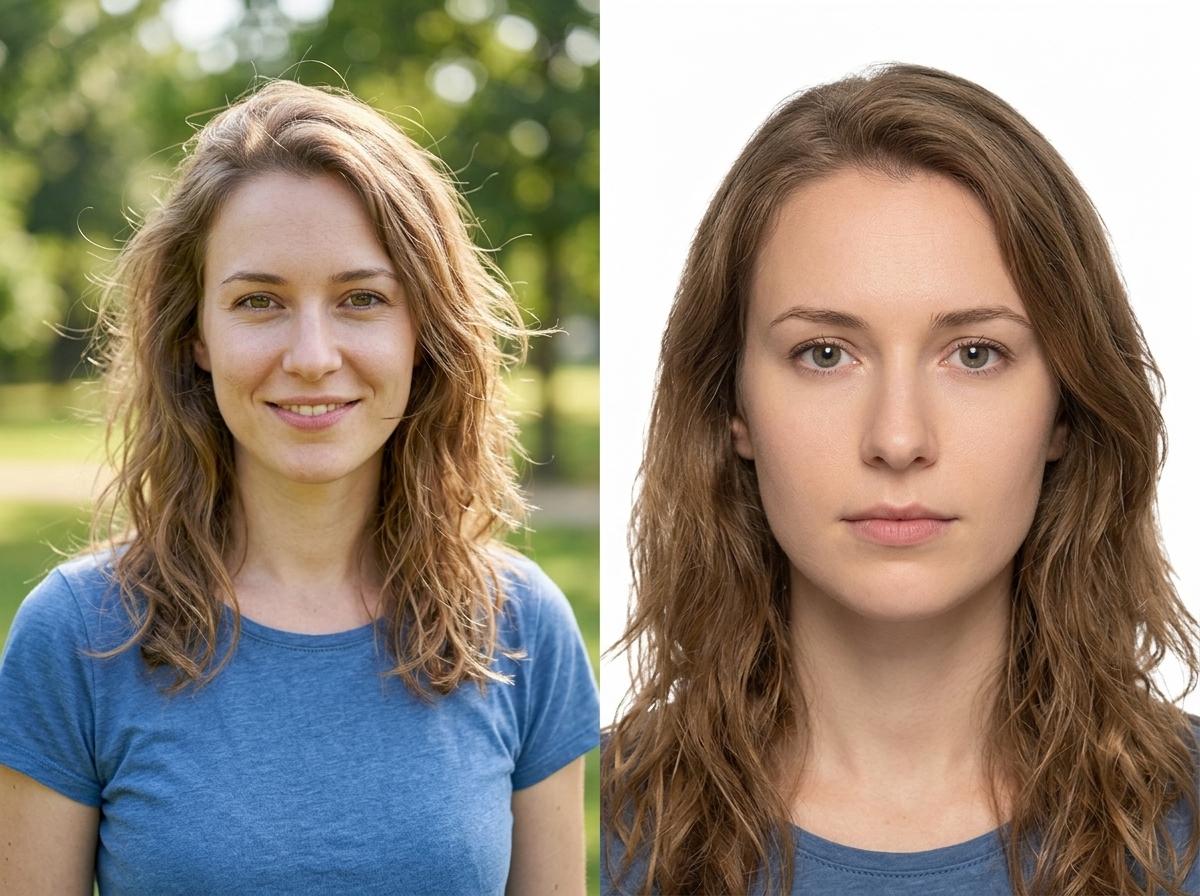
ID Cards & Licenses
Create professional ID photos with a clean white background for driver's licenses, employee badges, student cards, and membership IDs. A white background is the standard for most official identification documents.
Driver's license photos
Employee ID badge photos
Student ID card photos
Membership & professional cards
Frequently Asked Questions About White Background for Passport Photo
Why is a white background required for passport photos?
A white background provides maximum contrast for facial recognition and biometric scanning systems, allowing automated software to accurately detect facial features. It also ensures visual consistency across millions of identity documents and makes tampering easier to detect. That's why most governments mandate a white background for passport photo submissions.
Do all countries require a white background for passport photos?
Most do, with minor variations. The US and Canada require a plain white background. India mandates white for all passport and visa applications. The UK officially accepts light grey or cream but white is preferred and universally accepted. EU/Schengen countries follow ICAO standards and accept white or light-colored backgrounds — white is the safest choice worldwide.
Can I use a selfie for my passport photo?
Yes. Use a front-facing angle with neutral expression, even lighting, and both eyes visible. Our AI will remove the background and replace it with a clean white background for passport photo that meets official standards.
Will my photo be accepted by government agencies?
WhiteBG produces passport photos that meet international ICAO standards with proper edge detection, no shadow artifacts, and uniform white background. Final acceptance depends on the issuing authority — always verify your country's exact specifications.
Can I wear glasses in my passport photo?
Most countries now require glasses to be removed for passport photos, as they can cause glare and interfere with facial recognition. If you have a medical need, you may need a doctor's statement. Check your country's specific policy.
What clothing works best against a white background?
Wear dark or solid-colored clothing that contrasts with the white background. Avoid white or light tops that blend into the background. Collared shirts and business-casual attire work well for official photos.
Can I make a white background passport photo for a baby?
Yes. Lay the baby on a white sheet facing the camera with eyes open. Our AI will produce a uniform white background. Note that infant passport photos need to be renewed more frequently as children's appearances change quickly.
Is it legal to create passport photos at home?
Yes, it is legal in most countries including the US, UK, Canada, and Australia. The photo simply needs to meet official specifications for size, white background, lighting, and quality. Our tool helps you meet these requirements without a professional photographer.
Ready to Create Your White Background Passport Photo?
Skip the photo studio. Create a professional white background for passport photo in seconds — free, fast, and official-ready.
Create Your Passport Photo Now© 2026 WhiteBG