
Free online background removal
AI Background Remover for Clean Cutout Photos
Upload your photo. This AI Background Remover separates the subject, cleans the edge, and delivers a transparent PNG or a polished white-background image.
FastQuality
Drop your image to get started
or
Why it works
Remove Image Backgrounds Automatically with High-Precision AI
A background looks easy to remove until hair, fabric, glass, shadows, or product contours start breaking apart. WhiteBG handles the cutout for you, then gives you the exact output you need for a listing, profile image, ad, deck, thumbnail, or design file.
Clean subject cutouts
You get a separated subject with sharper edges, so the final image looks intentional instead of hand-erased.
Transparent or white background
Choose transparent PNG when you need design flexibility, or switch to white when your photo is going straight to a store, marketplace, resume, or profile.
No Photoshop workflow
Upload, process, preview, and download from the same page. This AI Background Remover gives you the direct path instead of layers, masks, and manual cleanup.
How to use it
How to Remove Background from Photo Online for Free in 3 Steps
Use this AI Background Remover when you need a finished cutout quickly and do not want to rebuild the image by hand.
1
Upload your image
Drop in a JPG, PNG, WebP, HEIC, or HEIF image. A clear subject and good lighting give the tool more detail to preserve.
2
Let AI remove the background
WhiteBG detects the subject and prepares a clean preview. You never touch the outline.
3
Download the finished result
Export a transparent PNG for design work, or choose a white, black, red, green, or blue background when the final image needs a solid backdrop.
Use cases
Free AI Background Eraser for E-commerce & Portrait Photos
You do not need a different workflow for every image type. Start with the same upload, remove the background, then choose the output that fits where the image is going.
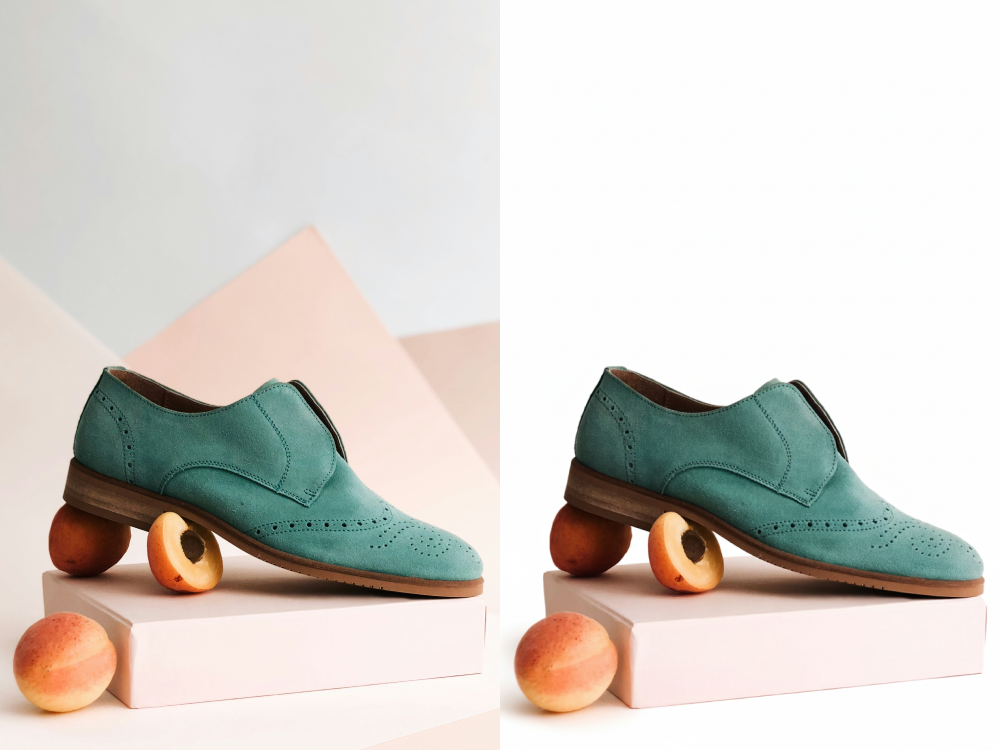
Product photos that look ready to sell
When a product photo has a table, wall, hand, or messy room behind it, the item looks less trustworthy. This AI Background Remover clears the scene and gives you a clean product image for Shopify, Amazon-style listings, Etsy, ads, and catalog pages.
Remove clutter from product shots
Switch to a white background for listings
Keep product edges clean for thumbnails
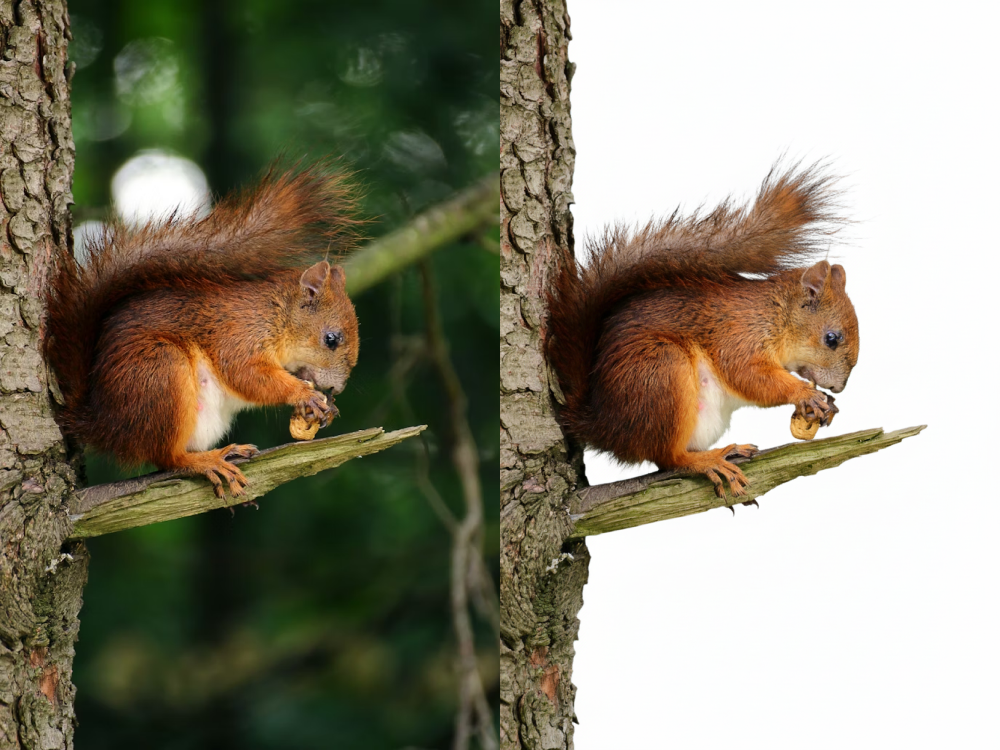
Profile pictures, logos, and social visuals
A busy backdrop pulls attention away from your face, logo, or main subject. Remove the background, keep the subject clear, and use the transparent PNG in a profile image, pitch deck, thumbnail, presentation, sticker, or campaign graphic.
Create clean headshots and profile images
Prepare transparent logo and object cutouts
Build social posts without visual clutter
Better output
High-Quality Image Cutouts: Transparent PNG & White Backgrounds
The best result starts with a photo where the subject is visible and not blurred. WhiteBG then does the hard part: it separates the subject, preserves fine detail, and gives you a background choice before download.
Hair and soft edges
Use the AI Background Remover for portraits, pets, apparel, and textured objects where a rough cutout is easy to spot.
Transparent PNG downloads
Download a transparent background when you want to place the subject into Canva, Figma, slides, ads, or another design.
White background exports
Switch to a white background when you want a simple product image, clean profile photo, or marketplace-ready result.
Fast browser workflow
Your upload, preview, background choice, and download stay on one page, so you can finish the job without opening a separate editor.
AI Background Remover FAQ
These answers help you choose the right output before you upload.
How do I remove the background from an image with AI?
Upload your image, let WhiteBG detect the subject, then download the result with a transparent or solid background. Skip the tracing, masking, and Photoshop steps; we handle the cutout.
Can I download a transparent PNG?
Yes. Choose the transparent option after processing and download a PNG cutout that works in design tools, slides, ads, store graphics, and profile images. Pick this tool when you need the subject separated from the original scene.
Can I make the background white instead of transparent?
Yes. Select the white background option before downloading. Reach for this tool to create a cleaner product photo, marketplace image, resume photo, or simple profile picture.
What images work best with the AI Background Remover?
Use a sharp image where the subject is visible and not heavily blurred. Good lighting and contrast help the AI Background Remover preserve hair, fabric, product edges, and small details.
Is this AI Background Remover free to use online?
You can start removing backgrounds directly on this page without installing an app. Open this tool when you need a fast online result instead of a full photo-editing workflow.
Can I remove a background without signing up?
Yes. Our AI Background Remover allows you to process and download images immediately without creating an account or logging in, saving you time and keeping the workflow simple.
Which is the best free background remover?
The best tool gives you high-quality cutouts without hidden paywalls. WhiteBG offers advanced AI edge detection for hair and fine details, completely free, with instant downloads and no watermarks.
Is there a way to remove the background automatically?
Yes, the process is 100% automatic. Our AI instantly identifies the main subject in your photo and strips away the background in seconds. You don't need to manually trace or use a brush tool.
Ready to Remove Image Backgrounds Online Now?
Upload it, remove the background, pick transparent or white, and download the version you can publish.
Use the AI Background Remover© 2026 WhiteBG